A Show HN submission published on 12.11.2026 introduces datatomcp, a hosted service its maker describes as an AI-native data layer aimed at teams that have no dedicated data team. The idea is that a team connects its databases, apps and spreadsheets a single time; the product links the sources, records what each number means, and lets every AI agent on the team request exact answers. According to the site, every question is logged, every figure can be traced back, and an answer can be returned as a chart. The free tier covers 3 datasets and 2 people, requires no card, is read-only for agents and is hosted in the EU.
Setup
The service can be added from the Claude Directory by clicking Connect and signing in, and the same connector works on desktop and mobile. For Claude Code, Cursor's agent and Codex, the site instructs users to point the agent at https://datatomcp.com/install.md and follow its instructions. A live demo workspace is available without sign-up.
The case against pasting spreadsheets
The site's central argument is that pasting a sheet into a chat puts every row into the model's context window, consuming tokens, while with datatomcp the agent queries a database and receives only the result. On the maker's own 50,000-row test orders file, they report roughly 475 times fewer tokens: pasting sends the entire 4,118,185-byte file, while a full datatomcp session (tool list, schema, query and result) sends 8,663 bytes. The comparison assumes about 4 bytes per token, prices Claude Opus 5.5 input at $4 per million tokens (October 2026), and notes that Opus 5.5 has a 1M-token context window. These are the vendor's own measurements, not independent benchmarks. The site also claims totals are computed by the database rather than estimated by the model.
Five steps
The product flow is presented as five stages: Connect, Link, Define, Ask and Audit.
Connect. Supported sources are PostgreSQL, MySQL, Stripe (customers, subscriptions with MRR, invoices, payments), HubSpot (contacts, companies, deals) and Airtable; Google Sheets are selected through Google's own file picker, which limits access to the chosen files rather than the whole Drive; Excel and CSV files can be uploaded. Each source becomes a dataset that stays in sync and keeps a version per refresh. Every import produces a report listing lines that could not be parsed, numbers stored as text and mixed date formats, and nothing is converted until a person confirms it.
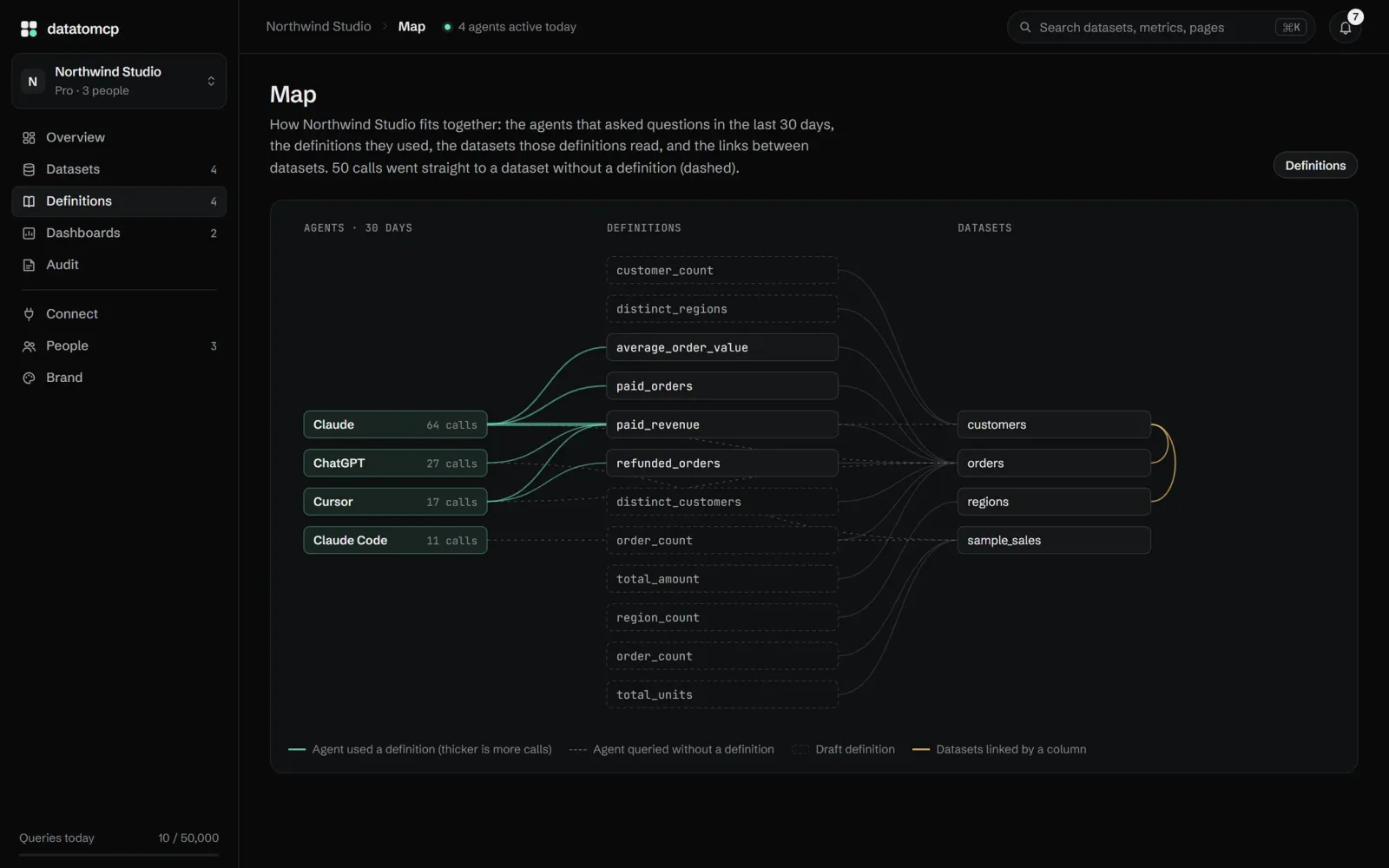
Link. The tool detects ids and codes shared across datasets, such as a customer_id present in both orders and customers, and draws a map of the relationships. Links chain, so an agent can total orders by a customer's region in one query. A link is confirmed automatically only when every value matches; otherwise the mismatches are shown for a human decision. The FAQ adds that totals from a linked dataset count each of its rows once, so a target is never added twice.
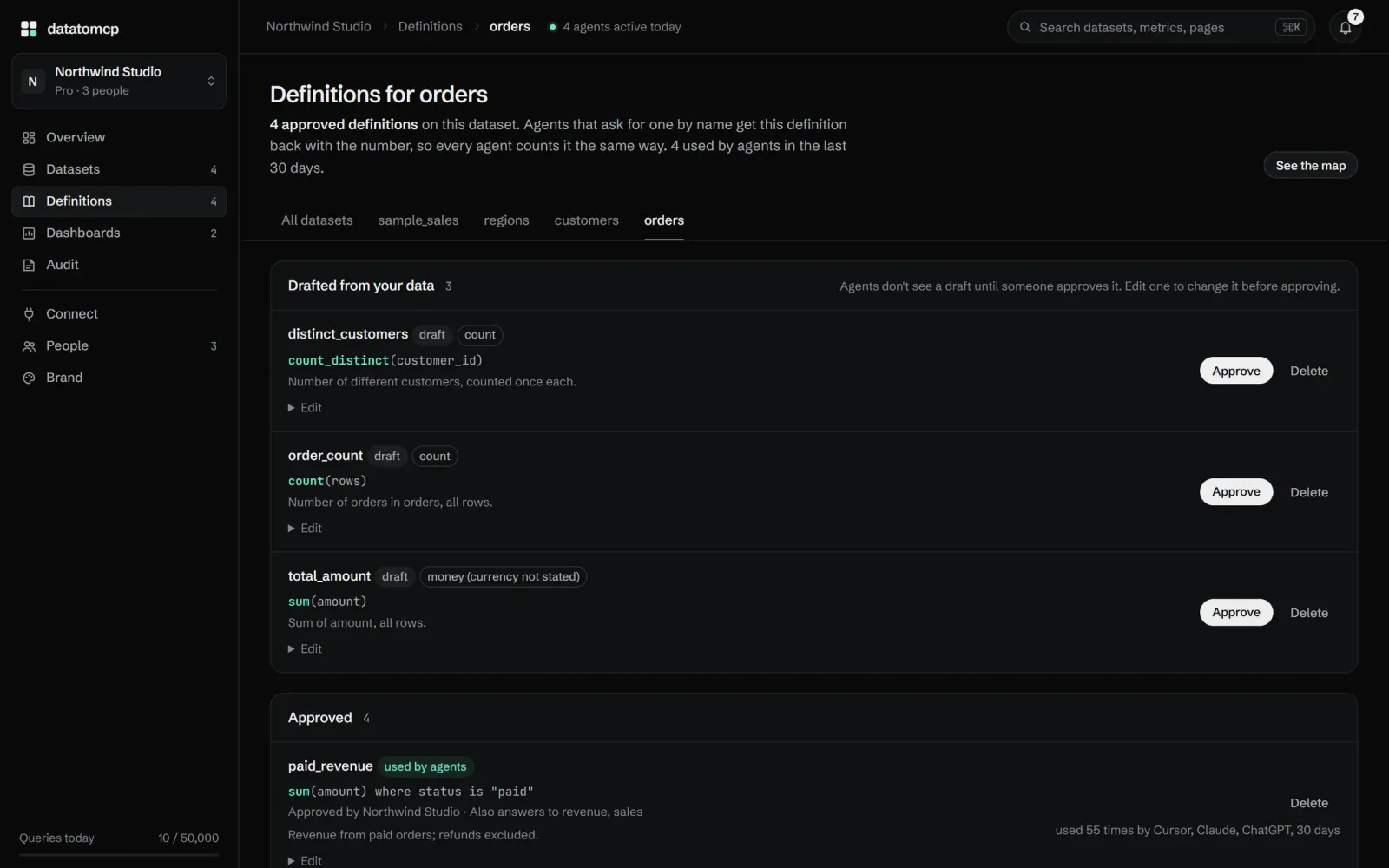
Define. Datatomcp drafts definitions from column names, for example paid revenue as the sum of amount where the status is paid. A person approves or edits each definition, and agents only use approved ones. Any answer that relies on a definition says so, and an unrecognized name returns the closest definitions rather than a guess. A glossary explains team vocabulary such as "active customer" the same way.
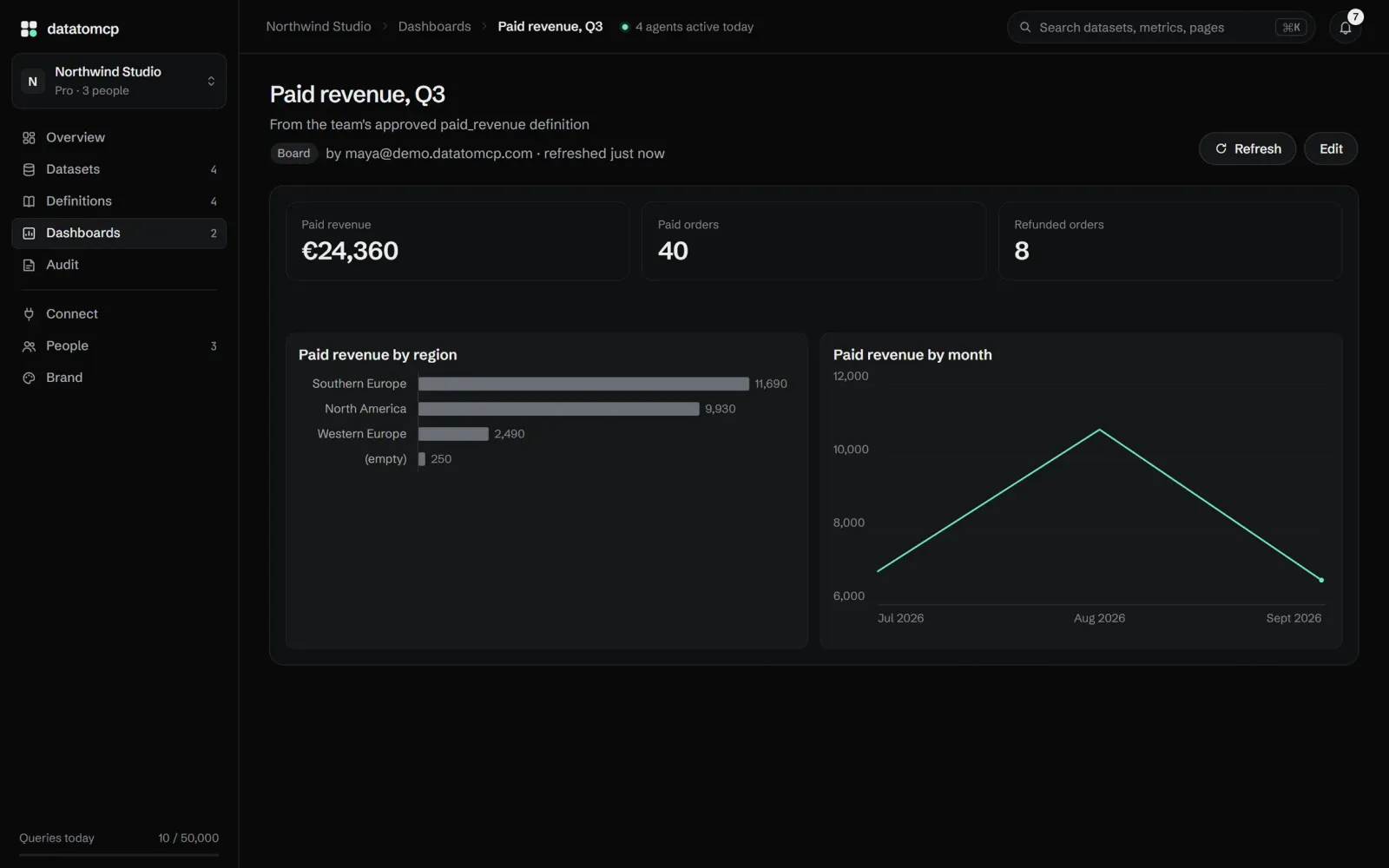
Ask. One URL connects Claude, ChatGPT, Cursor or any client that supports remote MCP servers; agents without MCP support, n8n workflows and custom apps use the REST API with an API key, and both paths return the same results. Because a database counts the rows, totals are exact, and each answer names the dataset version it came from. When a visual is clearer, the agent draws a chart or builds a dashboard in the chat that anyone can refresh later.
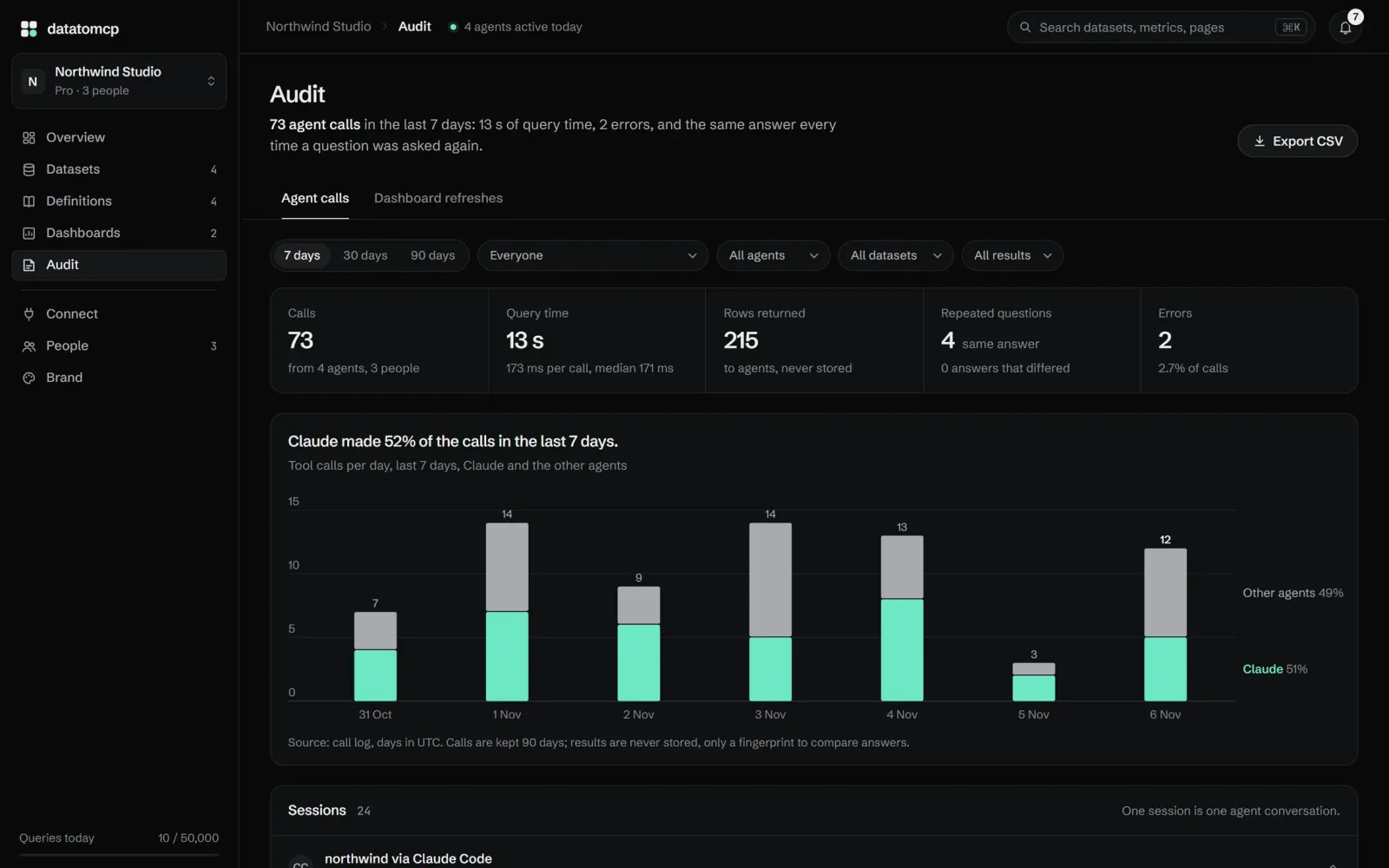
Audit. Every agent question is retained with who asked, from which agent, on which dataset, the query, the response time and any error. When two agents ask the same question, the audit shows whether they got the same answer. Retention is 90 days on Pro and 30 days on Free, and the log can be exported as a spreadsheet.
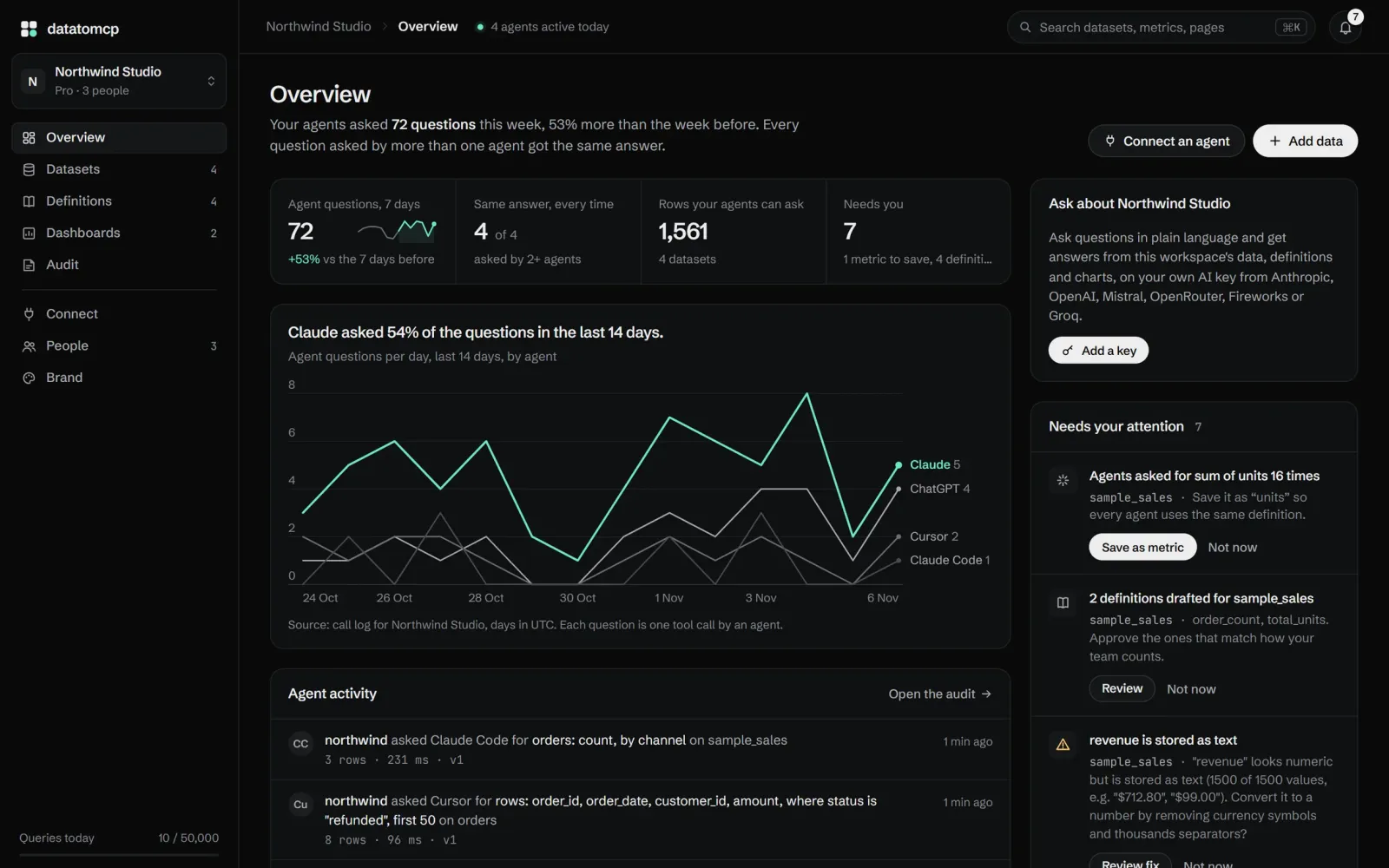
What agents can do
Over MCP, agents get a fixed set of tools: workspace_overview, list_datasets, describe_dataset, distinct_values, query_rows and aggregate for reading and counting; chart to render an answer; create_dashboard, list_dashboards and refresh_dashboard for dashboards; report_issue to flag a data problem; and propose_definition, propose_link, propose_term and propose_brief to suggest a definition, link, glossary term or the business brief, each of which a person must approve in the app before any agent uses it. connect_source starts a new connection and activity shows what agents did. Data stays read-only over MCP, an owner can set any agent to an Analyze mode that only reads, and agents deliberately cannot run SQL so that a confused agent cannot execute something slow or unexpected.
The charting library has 52 chart types (trends, comparisons, waterfalls, funnels, cohorts, scorecards and more) in light and dark variants, renderable inside Claude and ChatGPT conversations, by the in-app assistant and through the REST API. An agent asked for a dashboard produces a board or a short story of slides in the workspace, refreshable on the latest data.
Founder background and team features
Founder Killian Helf writes that he helps about 300 finance people use AI agents at a Fortune 100 company, and that nearly all of them hit the same wall: they paste a whole CSV or Google Sheet into the chat, the context fills up, the tokens add up and the totals come out close but not exact. He describes datatomcp as the tool he wanted for them, read-only for agents, hosted in the EU and honest about its limits; these are his own claims.
Workspaces support editors, who add and update data, and viewers, who ask questions. Each person connects their own agent once and sees the same datasets at the same version, so everyone quotes the same number, and an activity log records who changed what and which agent asked what for whom. Consultants and agencies can give each client a separate workspace, restrict an agent to that client's data, and hand the workspace over; Business plans extend the team limits. The public demo workspace, called Northwind Studio, is populated with real numbers and can be browsed without an account.
Pricing
The Free plan costs €0 and includes 3 datasets, 100,000 rows per dataset, 1,000 queries per day, one workspace with 2 people, linked datasets, on-demand refresh, and the MCP server and REST API. Pro is listed at €12/month, or $12, with 25 datasets, 2,000,000 rows per dataset, 50,000 queries per day, 3 workspaces with 5 people each, linked datasets, sync within minutes of an edit, and the same MCP and REST access. Upgrades happen in the app and Pro can be cancelled anytime from the billing portal, remaining active until the end of the period; back on Free, datasets stay readable but new ones cannot exceed the Free limits. Usage is not silent: an email goes out at 80% of the daily query limit, agents get a clear error at 100%, the counter resets at midnight UTC, and oversized datasets are refused at import with the reason.
Data handling
The site states that agents read only through validated, read-only tools and receive just the query results they request; query results themselves are never stored. A copy of each connected source, one file per version, plus backups and accounts, is kept on servers in the EU, and data is never used for training. Two AI features are opt-in: cleaning suggestions, which send a column summary and at most 50 sample rows to Mistral (EU) when an editor asks, and the in-app assistant, which runs on the customer's own AI key. Every request requires a sign-in or an API key, database and app credentials are encrypted and never shown to agents, and deleting a dataset or an account removes the data at once and from backups within 14 days. For messy files, unparseable rows are listed with line numbers while the rest imports, inconsistent numeric or date-like columns are flagged, and approved AI clean-up rules re-run on every refresh.
Datatomcp says it is listed in the Official MCP Registry, the Claude Directory and the Cursor Directory, as well as on Glama and mcpservers.org.